
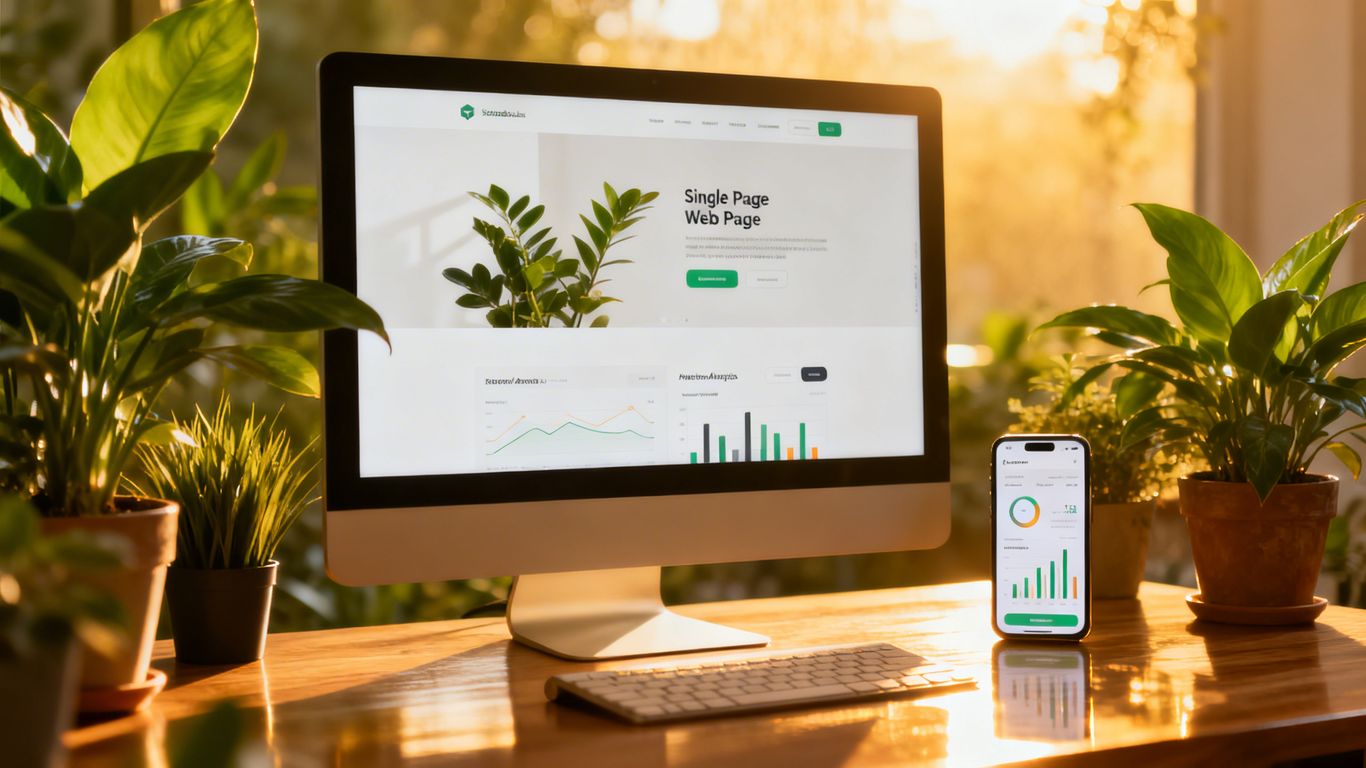
Quick answer: a single-page website can rank if you focus it on one main keyword and a few close variations, structure the page into clear sections with one H1 and descriptive H2s, write a strong title and meta description, keep it fast on mobile, add schema for your business, and earn links from relevant sites. If you need to rank for many different topics, add a blog or extra pages. For JavaScript single-page apps, see my technical SPA SEO guide.
So, you’ve got a one-page website and you’re wondering how to get it noticed online? It’s a bit different than a multi-page site, for sure. Everything has to be super focused because all your content lives on that single URL. We’ve been digging into the best ways to make sure your single page website stands out in search results, especially as things change for 2026. It’s all about being smart with your content, how you structure it, and making sure the tech side is solid. Let’s get your one-page site seen!Key Takeaways
- For a single page website, SEO means focusing all your efforts on one URL. We need to pick one main topic and build everything around it.
- Structure is key. Use clear headings and anchor links to help both users and search engines understand what your page is about.
- Make sure your page loads fast and works well on phones. This is super important for keeping visitors happy and ranking well.
- Build trust by showing off testimonials, case studies, and any credentials you have. Search engines like to see that you’re a reliable source.
- Keep an eye on how your page is doing. Track your rankings and traffic, and be ready to tweak your strategy as things change.
Optimizing Content for SEO on a Single Page Website
When we’re working on a single page website, every section has to pull its weight. There’s nowhere to hide thin content or toss in extra keywords, so we need smart strategies to make the page shine for search engines and visitors alike.Choosing and Integrating the Right Keywords
The trick is to pick one main keyword that your whole site leans into, then sprinkle in a few related terms to cover your bases. Cramming too many keywords just muddles your site and confuses search engines. Here’s how we usually handle it:- Start by listing potential keywords that truly match our focus (use a tool or just Google autosuggest—honestly, old school works).
- Pick the one that perfectly matches our main goal.
- Use that keyword in the headline, in a snappy intro, and in a couple body sections.
- Add in some close synonyms or questions folks might type in (think natural, not robotic).
| Section | Main Keyword Use | Related Terms |
|---|---|---|
| Hero/Header | Once in H1 headline | Once in tagline/subheader |
| Features/FAQs | Naturally throughout | LSI keywords and phrases |
| Conclusion/CTA | Once, if natural | “how to”, “tips”, etc. |
Creating Depth Without Overwhelming the User
A single-page site should feel smooth, not like one giant wall of text. But we still need depth. Here’s what we do:- Break up the content into tight sections with clear, punchy headings.
- Use short paragraphs and mix in lists for easy reading.
- Drop in real examples, brief case studies, or an FAQ to answer user questions directly.
Even if everything fits on one scroll, keeping each piece focused helps visitors find what they need fast, without being bogged down.
Balancing Readability With Search Engine Needs
It’s easy to get lost in the SEO weeds and forget that humans actually read the site. We try to keep things readable first, and tweak for search engines after. Here’s what seems to work best:- Use simple sentences and everyday words.
- Make sure each section answers a real question or solves a problem.
- Avoid keyword stuffing at all costs (seriously, nothing tanks a site faster).
- Use headings (H2s, H3s) for organization, not just for the bots.
Structuring Your One-Page Site for Maximum SEO Impact
When we’re working with a single page website, it’s easy to assume structure doesn’t matter—the whole thing’s just one scroll, right? But that’s not really how search engines (or real people) see it. On a single page, headings are like our roadmap—they help both visitors and search engines figure out what’s important and how everything fits together. We need one H1 at the top that nails our main topic. Below that, H2s should break the rest of the page into logical chunks, like services, about, pricing, and contact sections. Any extra detail inside those sections? Use H3s (and so on) to add layers, but try not to skip levels. Here’s how we usually break it down:- H1: Main headline or topic of the whole site
- H2: Major sections (e.g. About Us, Our Work, Pricing, Contact)
- H3: Extra details or features inside each section
| Tag | Best Use Example | Notes |
|---|---|---|
| H1 | ‘Affordable Local Web Design’ | One per site, main focus |
| H2 | ‘Our Process’ | Break up main sections |
| H3 | ‘Step 1: Consultation’ | Subpoints, more detail |
Giving each section a clear heading not only keeps things neat, it also shows Google what our page is about—there’s no guesswork.Anchor links aren’t just about making it easy to jump to different parts of the page. They help us lay out each section in a way that’s easy for users to find (and for search engines to recognize as unique parts). Instead of a boring block of text, our main menu can have links like “#about” or “#services”—these connect the nav to specific points on the scroll.
- Add ID tags to each key section (like
<section id="portfolio">) - Use the main navigation to link to these anchors
- Make sure those anchor links use words you actually want to rank for
- Keep anchor text natural (e.g. “See Our Projects” instead of just “Projects”)
- A punchy headline (our H1)
- Short value statement or benefits
- A button or link as our main call-to-action (CTA)
- Place the CTA above the fold (visible right away)
- Repeat it later, maybe after testimonials or pricing
- Make sure it’s unique and simple
We always try to balance information and action at the very top, so people have a reason to keep scrolling.Structuring a one-page website takes a bit of planning up front, but it pays off in better rankings and happier visitors.
Technical SEO Essentials for Single Page Websites
Alright, let’s talk about the nitty-gritty technical stuff that makes a single-page website actually work well for search engines. Since everything lives on one URL, these technical bits are super important. We can’t spread our optimization across multiple pages, so we’ve got to make this one page count.Improving Page Load Speed and Mobile Responsiveness
This is a big one. Nobody likes waiting for a page to load, right? Especially on mobile. If your single-page site is sluggish, people will bounce faster than you can say “SEO.” Search engines notice this, and slow speeds can really hurt your rankings. We need to make sure our images are sized correctly and that our code isn’t bogging things down. Think about it: if a user clicks on your link and the page takes ages to show up, they’re probably just going to hit the back button and try someone else. Fast loading speed is non-negotiable for a good user experience and better search visibility. Here’s a quick checklist for speed and mobile:- Optimize Images: Compress them without losing too much quality. Use modern formats like WebP if possible.
- Minify Code: Strip out unnecessary characters from your HTML, CSS, and JavaScript.
- Leverage Browser Caching: This helps returning visitors load your site faster.
- Test on Multiple Devices: Make sure it looks and works great on phones, tablets, and desktops.
Implementing Schema Markup and Clean HTML
Schema markup is like giving search engines a cheat sheet about your content. It helps them understand what your page is about more precisely, which can lead to richer search results. For a single-page site, this means clearly defining what each section represents – is it a service, a testimonial, or contact info? Clean HTML is also key. It means well-structured code that’s easy for search engines to crawl and understand. Avoid messy, nested tags; keep it simple and logical. This helps search engines index your content properly and can improve how your page is presented in search results. We want to make it as easy as possible for Google to see us as a relevant result for our main topic.Securing Your Website With HTTPS
This one’s pretty straightforward: use HTTPS. It means your website connection is encrypted, which is vital for user trust and data security. Search engines like Google have been prioritizing secure sites for years, so having that little padlock in the address bar isn’t just good practice, it’s a ranking factor. If you’re still on HTTP, it’s time to make the switch. It’s a relatively simple technical step that signals to both users and search engines that you’re a legitimate and trustworthy site. Plus, it protects any information visitors might share with you, which is always a good thing.Building Trust and Authority on a Single Page Platform
 Every single page website gets one shot to look legit and convince folks we’re worth their time (and money). When we’re all squeezed onto one URL, trust is always on display – there’s no back page to hide on. Let’s talk about how we can make people and search engines take us seriously.
Showcasing Testimonials and Case Studies
Nothing proves what we do works like actual results and real people vouching for us. Visitors want hard proof, not just sales copy. On a single page, we’ve got to mix these in thoughtfully:- Pick your most detailed, specific testimonials, not just “Great job!” blurbs.
- Use real names, client logos, and (if they’re cool with it) photos, so it looks genuine.
- Case studies work great too – keep it short, but show off numbers if you can. Ex: “Helped ABC Co. boost sign-ups by 27% in two months.”
| Element | What to Include | How It Helps |
|---|---|---|
| Testimonial | Name, Role, Company, Feedback | Builds Credibility |
| Case Study | Problem, Solution, Outcome | Shows Real Value |
Testimonials and quick case stories on a single page can quickly show visitors that we aren’t just making noise – we’ve actually solved problems for others.
Highlighting Credentials and Professional Experience
We’ve got to look qualified at a glance. When there’s just one page, let’s stack our credentials where no one will miss them – maybe right under the hero section, or next to our main offer:- List any relevant certifications (Google Partner, industry awards)
- Drop in years of experience or big brands we’ve worked with
- If we’re individuals, a super short bio helps (“15 years helping nonprofits raise funds online”)
- Add clear contact details, or even a photo for a more personal touch
Enhancing E-E-A-T Signals for Better Rankings
Google cares about E-E-A-T: experience, expertise, authority, and trust. On a single page, we can’t afford to skip these signals. Here’s how we can work them in:- Be totally transparent—include business address, phone, and legitimate contact info
- Make our about section detailed, so visitors (and Google) know who’s behind the page
- Highlight awards, press mentions, or associations if we have them
- Show privacy policies or terms (footer is fine)
- Use schema markup for organization/personal info and reviews
Avoiding Common SEO Mistakes on Single Page Websites
So, we’ve talked a lot about what to do to make your one-page site shine in search results. But sometimes, knowing what not to do is just as important, right? Especially with a single-page setup, where every element has to work harder. We’ve seen sites trip up on the same things, and we don’t want that happening to you.Preventing Keyword Stuffing and Duplicate Content
This is a big one. We get it, you want your main keywords to show up, but stuffing them everywhere makes your content sound unnatural and can actually hurt your rankings. Search engines are smart; they look for relevance and context, not just how many times a word appears. Think about it – would you rather read something that flows well or sounds like a robot wrote it?- Focus on natural language: Write for humans first. Your content should be easy to read and understand.
- Use variations: Instead of repeating the exact same keyword, use synonyms and related terms.
- Strategic placement: Sprinkle keywords into headings, introductions, and key sections where they make sense.
Managing Image Optimization and Alt Text
Images can really slow down your page load speed, which is a killer for user experience and SEO. Plus, search engines can’tTracking Success and Refining Your Single Page SEO Strategy
So, we’ve put in the work, optimized our content, structured our single-page site like a pro, and handled the technical bits. Now what? We can’t just set it and forget it, right? We need to see if all our efforts are actually paying off. This is where tracking and refining come in. It’s like checking the weather before a hike – you want to know what to expect and adjust your plans if needed.Monitoring Keyword Rankings and Organic Traffic
First things first, we gotta keep an eye on our keywords. Are they showing up where we want them to in search results? Tools like Google Search Console are super helpful here. They show us which queries are bringing people to our page. We also want to watch our overall organic traffic. Is it going up? Staying steady? Dropping? A steady climb is what we’re aiming for. If we see a dip, it’s time to figure out why. Maybe a competitor got aggressive, or perhaps search engine algorithms shifted a bit. We need to be aware of these changes to keep our site performing well.Analyzing Engagement Using Core Web Vitals
Beyond just traffic numbers, we need to know if people are actually liking what they find on our page. This is where engagement metrics come into play. Google’s Core Web Vitals are a big deal here. They measure things like how quickly your page loads (Largest Contentful Paint), how interactive it is (First Input Delay), and how stable the layout is (Cumulative Layout Shift). If these scores are bad, users will bounce, and search engines will notice. We can use tools like PageSpeed Insights to get a clear picture of our site’s performance. Improving these scores can make a real difference in how users perceive our site and how search engines rank it.Adapting to Algorithm Changes and User Behavior
Search engines are always tweaking their algorithms. It’s like a constant game of catch-up. What worked last year might not be the best approach today. We need to stay informed about major updates and understand how they might affect our single-page site. Also, user behavior changes. What people search for, how they interact with websites – it all evolves. We should regularly review our analytics to see if user behavior patterns on our site are changing. Are people spending more time on certain sections? Are they clicking our calls-to-action? Understanding this helps us tweak our content and layout to better meet their needs. It’s an ongoing process, but staying adaptable is key to long-term success. We found that using a platform like GoHighLevel really helped us streamline our marketing efforts and track user interactions more effectively.We can’t just build it and expect it to rank forever. We have to be active participants in our site’s success. This means regularly checking our performance, understanding what the data tells us, and being willing to make changes. It’s about continuous improvement, not just a one-time fix.
Leveraging External Authority and Backlinks for One-Page SEO
Even with a killer single-page site, we can’t just expect people to find us. We need to build trust and show search engines that our page is a go-to resource. That’s where getting other websites to link to us, and linking out to good sources ourselves, comes into play. It’s like getting a nod of approval from the internet.Building High-Quality Backlinks to Your Landing Page
Think of backlinks as votes of confidence. When other reputable sites link to your single page, it tells Google, “Hey, this page is important and trustworthy!” For a one-page site, this is super important because all your authority is concentrated in one spot. We need to actively work on getting these links. Here’s how we can get other sites to link to us:- Create amazing content: If your page has really useful information, guides, or tools, others will naturally want to link to it. Make sure your content is the best it can be.
- Reach out to others: Find websites that talk about similar topics and see if they’d be interested in linking to your page. Maybe you have a unique statistic or a great case study they could reference.
- Get listed in directories: Especially for local businesses, getting listed in relevant online directories can bring in good links.
Utilizing Guest Posts and Industry Mentions
Guest posting is a fantastic way to get a link back to your single page. We write an article for another website in our industry, and in return, we get to include a link to our site, usually in our author bio or within the content itself if it’s relevant.- Find relevant blogs: Look for industry blogs that accept guest contributions and have an audience that would be interested in what we offer.
- Pitch a great idea: Don’t just send a generic pitch. Offer a unique angle or topic that will benefit their readers.
- Include a natural link: Make sure the link back to your single page fits smoothly into the content or bio. It shouldn’t feel forced.
Earning Local Citations and Directory Links
If our single-page site is for a local business, getting listed in local directories and citation sites is a must. These are essentially mentions of our business name, address, and phone number (NAP) on other websites. Consistency here is key.- Identify key directories: Think Yelp, Google Business Profile (even if it’s just a link to your main page), and industry-specific local directories.
- Ensure NAP consistency: Make sure your business name, address, and phone number are exactly the same across all listings. Any variation can confuse search engines.
- Check for accuracy: Regularly review your listings to ensure all information is up-to-date and correct.
Linking out to authoritative sources is also a smart move. It shows search engines that you’re not just trying to hoard authority but that you’re part of a larger, credible web. An experiment showed that sites linking out to high-quality sources actually ranked better than those that didn’t. So, don’t be afraid to link to reputable studies, industry organizations, or well-known publications when it makes sense within your content.Want to make your website stand out? Using outside help and links from other trusted sites can really boost your page’s ranking. It’s like getting a good recommendation from a friend! Want to learn more about how to do this effectively? Visit our website for easy-to-follow guides and tips to help your site get noticed.
Wrapping It Up: Your One-Page Site’s SEO Journey
So, we’ve gone through all the ins and outs of making a single-page website work for search engines. It’s definitely not as simple as just throwing content onto one page and hoping for the best. We learned that being super focused with our keywords is key, and that organizing everything with clear headings and good internal links really helps both people and search bots figure out what’s what. Plus, making sure the page loads fast and looks good on phones is a big deal. It takes some effort, for sure, but by putting all these pieces together – good content, smart technical stuff, and building trust – we can totally get our one-page sites noticed. It’s all about being intentional and giving people exactly what they’re looking for, right there on that one page.Frequently Asked Questions
Can a single page website really rank well on Google?
Yep, it totally can! We just have to be smart about our SEO. Since everything’s on one page, we focus all our efforts on one main topic and make sure the content is deep and helpful. If we organize the sections well and use the right keywords, a single page site can actually compete with bigger websites.
How do we choose the best keywords for a one-page site?
We start by picking one main keyword that matches what our visitors are looking for. Then, we add a few related keywords and use them naturally throughout the page. It’s important not to overdo it—just sprinkle them in where they make sense, like in headings and main sections.
What’s the best way to organize content on a single page website?
We break everything into clear sections, each with its own heading. Think of it like chapters in a book. We use anchor links so people can jump to the part they want. This helps both users and search engines understand what’s on our page.
How can we make sure our one-page site loads fast and works on phones?
We keep images small and use simple, clean code. We always check our site on different devices to make sure it looks good and loads quickly. Using tools like Google PageSpeed Insights helps us spot anything that’s slowing us down.
What are some common SEO mistakes on single page websites?
Some big mistakes are stuffing too many keywords, using the same meta description everywhere, or forgetting to add alt text to images. We also want to avoid having really short or thin content—every section should give real value.
How do we track if our single page SEO is working?
We use tools like Google Analytics and Search Console to watch our traffic and see which keywords are bringing people in. If we notice more visitors and better rankings over time, we know our strategy is working. We also check things like how long people stay on the page and if they click our call-to-action.
Related guides on Make Money Raj
- Mastering SEO for Single Page Websites: A Comprehensive Guide
- Effortlessly Grow Your Webflow Content with AI for Better SEO
- Mastering SEO for Small Businesses: A Practical Guide to Boosting Your Online Visibility
- Quickly Fix Duplicate Content Problems with AI
More questions answered
Can a one-page website rank on Google?
Yes, for a focused topic or local business, especially with strong on-page SEO and some quality links.
How many keywords can a single-page site target?
One main keyword and a handful of closely related ones. Unrelated topics need their own pages.
Should I add a blog to a one-page site?
If you want to rank for more searches, yes. A blog gives you more pages to target more questions.
2 thoughts on “SEO for Single Page Website: Proven Strategies to Boost Your One-Page Site in 2026”